Ava handles the first conversation
A homeowner taps Ask Ava on your website or calls your business, day or night. Ava answers their questions and talks through the project like someone from your team, so no inquiry waits for your office to open.
Ava Dashboard / Your team’s sales desk
Ava Dashboard collects every website conversation and phone call Ava handles, with the full transcript, the project details, and the next step, so your team always knows who to call and what they want.
How it works
A homeowner taps Ask Ava on your website or calls your business, day or night. Ava answers their questions and talks through the project like someone from your team, so no inquiry waits for your office to open.
While the conversation flows naturally, Ava pins down the project, budget, timeline, location, name, and phone number, then reads the number back. No forms for the homeowner, and the callback number is confirmed, not guessed.
The lead appears in Ava Dashboard right away with a short summary, the full transcript, and a clear next step such as Needs call, Call at open, or Scheduled callback.
When a lead is ready for a callback or asks for a person, your team gets an email alert with the key details, so the follow-up happens while the homeowner is still interested. Consultations Ava books on calls show on your calendar.
The lead queue, the call details and the complete transcript sit on one screen, so anyone on your team can read exactly what the homeowner said.
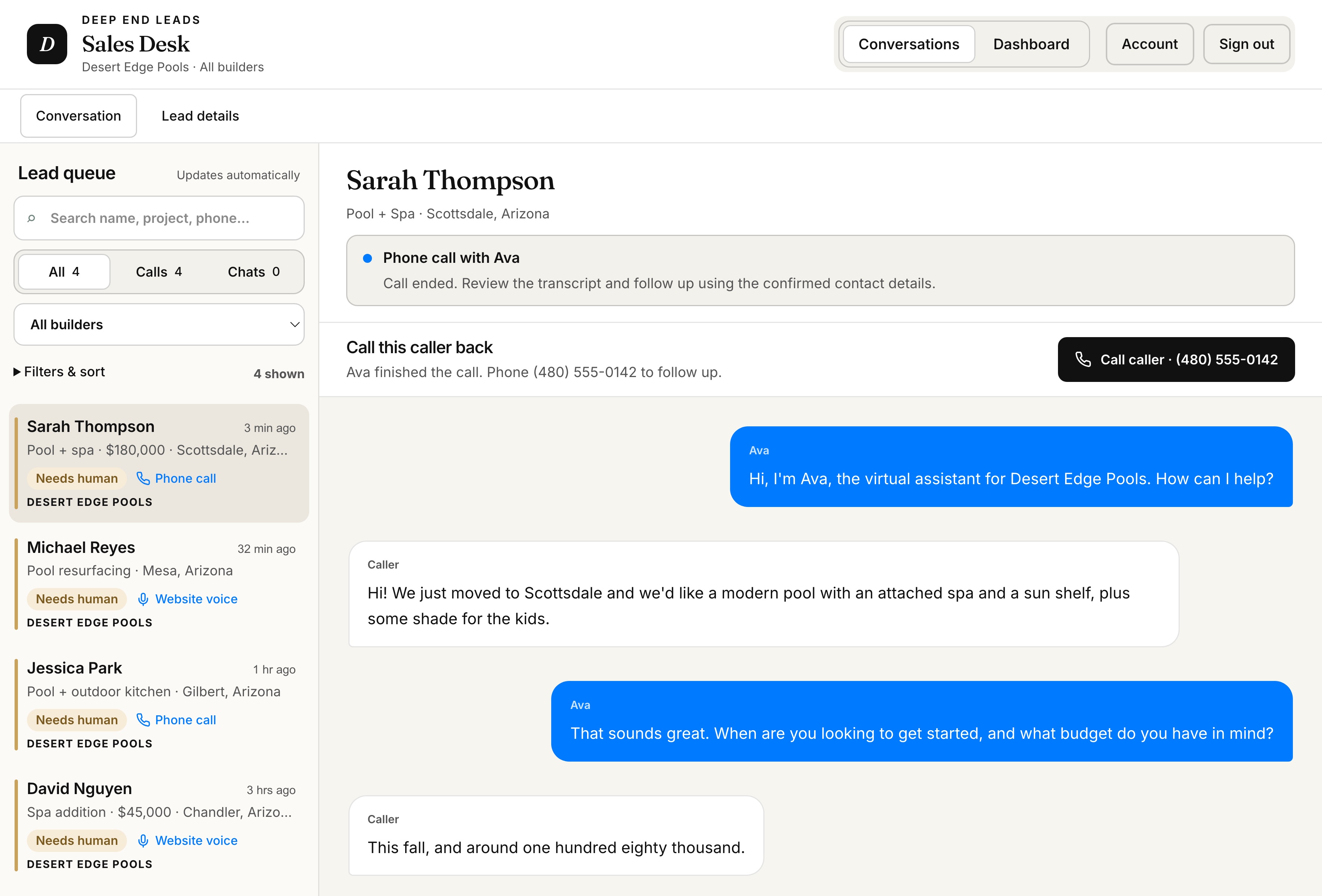
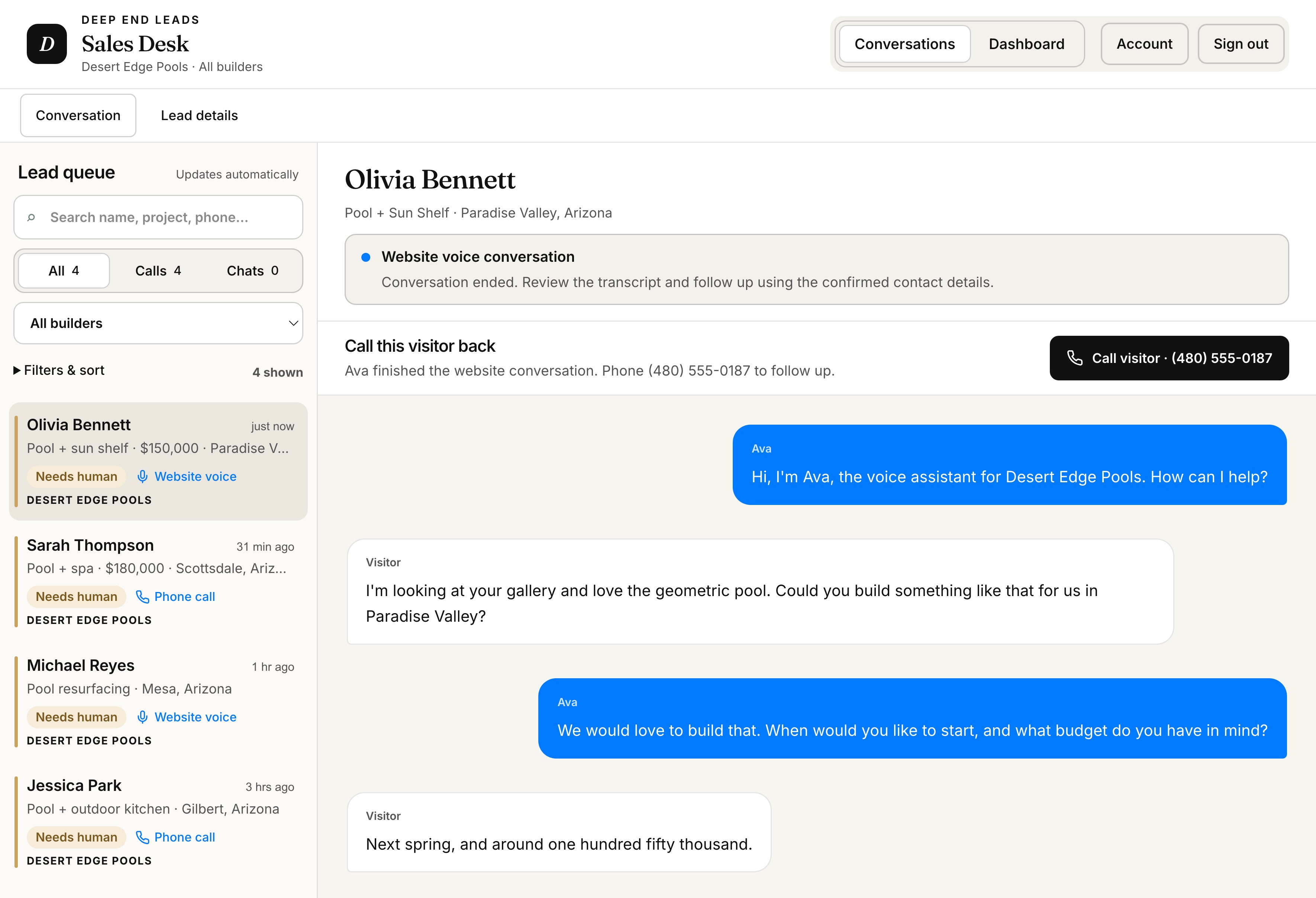
Visitors who tap Ask Ava land in the same queue, marked Website voice, with the full conversation and a Call this visitor back next step.
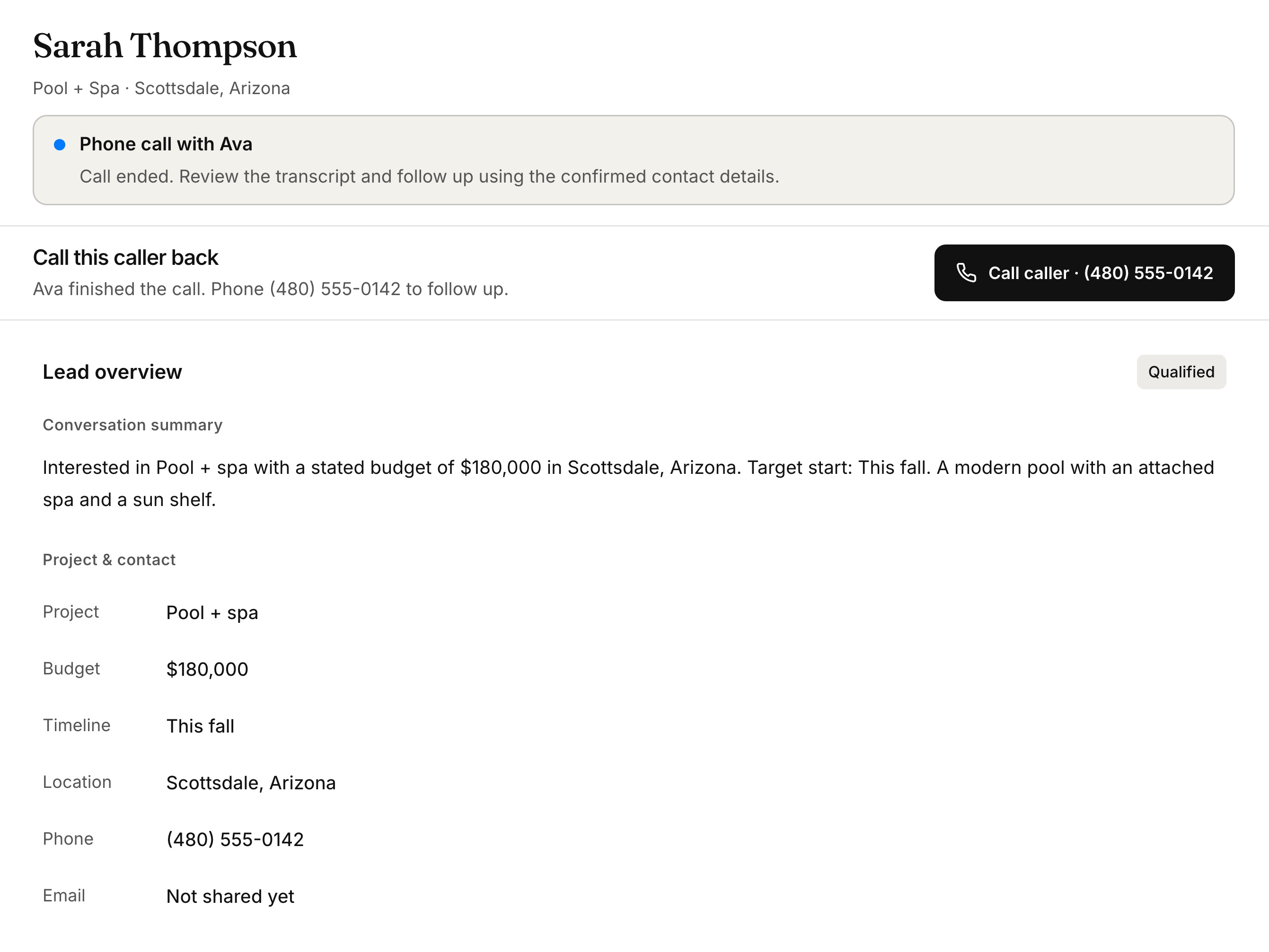
Project, budget, timing, location and a confirmed callback number are broken out for your team, with the next step at the top.
Using Ava Dashboard
Every lead carries its next step, so your team works the queue in the right order instead of guessing. Search, filter, and sort put the leads that need you at the top.
Project, budget, timeline, location, and a confirmed number sit at the top, with the summary and full transcript below, so the first thing your team says on the callback is about their project.
Tap Call caller to dial, then record how the call went. Leads that don’t pick up move to No answer, retry, and every call and note stays in the lead’s history, even when someone is out.
The Dashboard view counts conversations, call leads, leads waiting on a call, and sales conversations for any period you choose, so you can see exactly what Ava adds to your pipeline.
See it with your own leads
We will walk you through the dashboard, the alerts, and the follow-up workflow for your team.
Book a Demo