Ava Website / Voice on your website
Your AI receptionist.
Ready on your website.
Give visitors a voice to talk to. Ava answers questions about your business, talks through their project and gathers useful details for your team, all through an Ask Ava icon on your website.
What visitors see
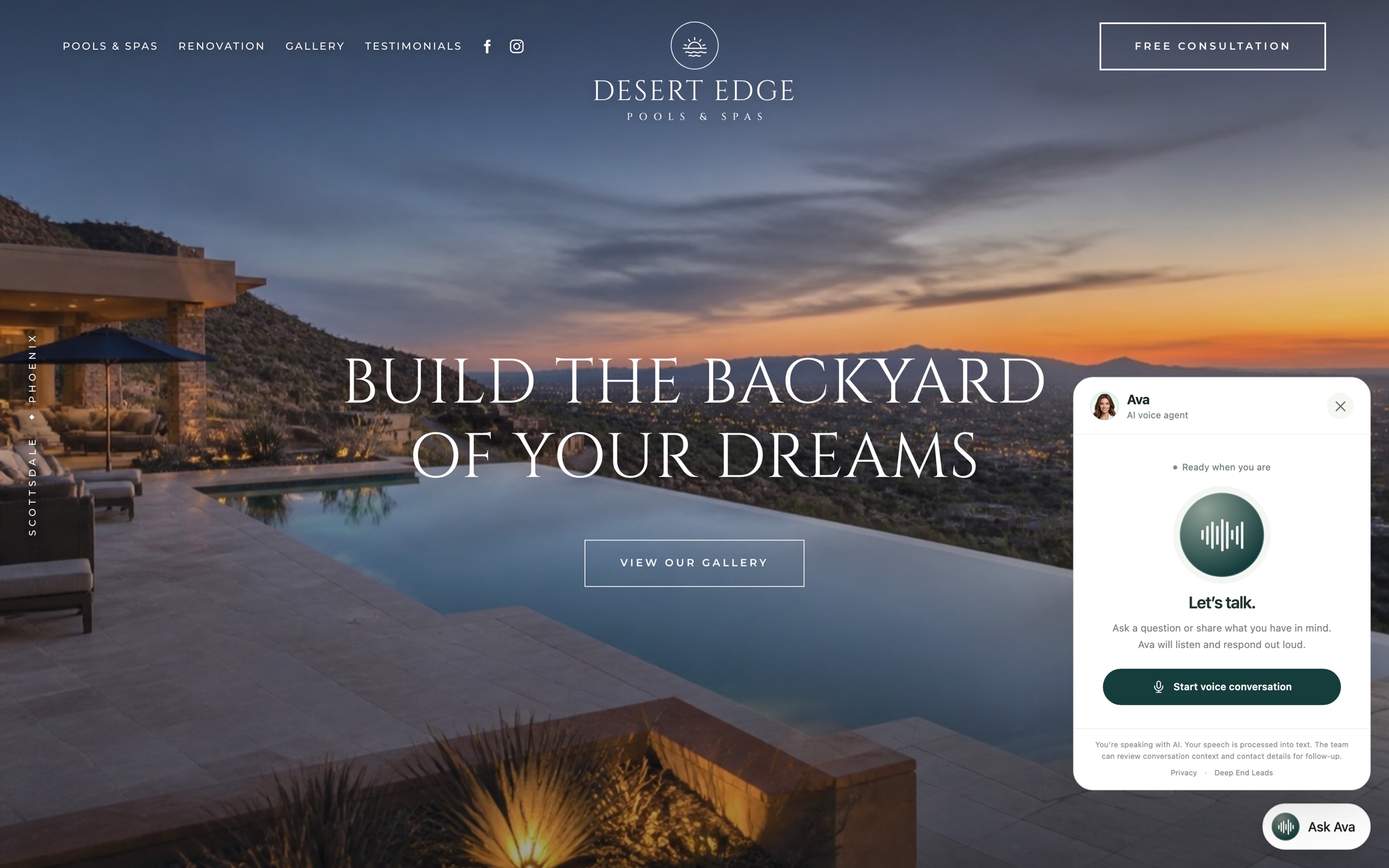
Ask Ava sits in the corner,
a tap away on every page.
Visitors tap Ask Ava and talk to her in the browser, with no phone call needed. She answers from your business information, opens pages like your gallery when asked, and captures callback details for your team.
Ava Website questions
Before she speaks
for your business.
How do website visitors talk to Ava?
They tap the voice icon, allow microphone access, and speak with Ava in their browser. Their microphone stays off until they allow access, and they can end the conversation at any time.
Do visitors need to call a phone number?
No. Ava Website uses the browser microphone and audio. Ava Call is the telephone access channel for incoming calls.
Are Ava Website and Ava Call different agents?
They are two ways to reach Ava, the same AI voice agent. Ava Website is accessed from your site; Ava Call answers incoming telephone calls.
Can Ava answer questions about our business?
Yes. Ava reads your website when you set her up, and you review what she’ll say. She explains your services, service area, process and common questions, and gathers the details your team needs for follow-up.
Will Ava quote prices?
Ava never makes up prices. When a visitor asks about cost, she tells them your team will go over pricing and notes the question for your follow-up.
Does a callback request book an appointment?
No. On your website, Ava records that a homeowner wants a callback, with their project and number. Your team connects with them and agrees on any appointment. Booking consultations happens on phone calls with Ava Call.
Start with a conversation
Give your website Ava’s voice.
Bring your questions, try Ava, and see how Ava Website fits your business.
Book a Demo